

11 Passwords You Should Never Use (But Probably Do)

Many of us juggle dozens of online accounts, and each one needs a password. Unfortunately, a recent analysis of leaked passwords by the company Red9 revealed that many of us use the same passwords, giving hackers an easy way in.
Protecting your online accounts starts with avoiding the commonly used (and leaked) passwords on this list.
Finding the Most Commonly Leaked Passwords

A recent study by Red9 took passwords exposed in public data breaches and ran them through HaveIBeenPwned.com, which revealed how many times each one had been leaked. The resulting list shows we use the same, common passwords with far too much regularity.
1: 123456

The six-digit password allows for one million combinations, but the Red9 study revealed many people are relying on one of its simplest forms. “123456” was leaked 42,542,807 times.
2: 123456789

Length can complicate passwords and fortify accounts unless your password is still simpler than a children’s counting song. “123456789” is one you’ll want to avoid. It leaked 18,313,580 times.
3: Qwerty

“Qwerty” might feel like a safe password, given that “q” is one of the least commonly used letters in English. But one look at a keyboard tells you how basic “qwerty” really is, and Red9’s analysis backs that up. “Qwerty” was leaked almost 11 million times.
4: Password

Using “password” as a password isn’t just uncreative; it’s also unsafe. “Password” was leaked over 10 million times.
5: 12345678
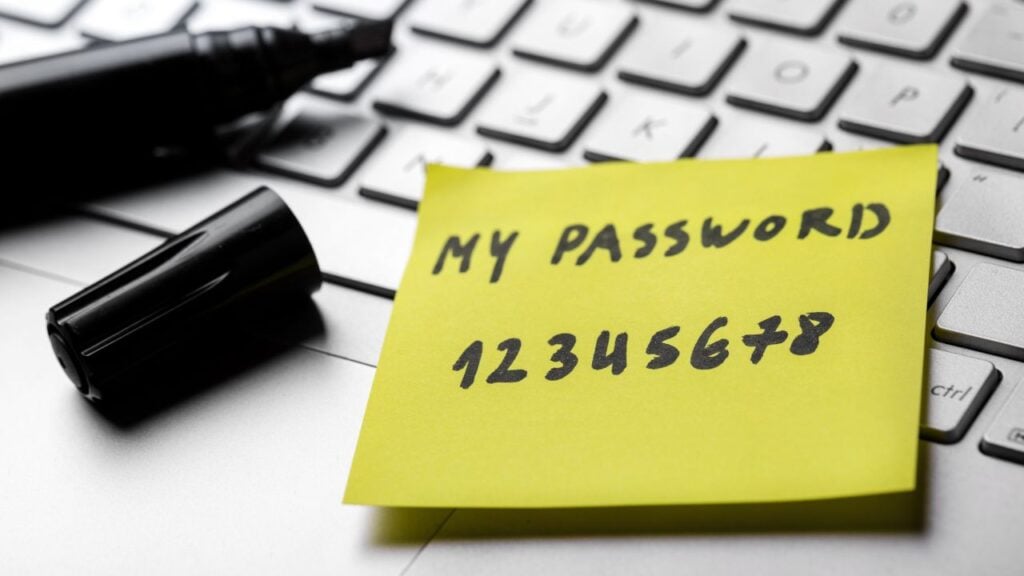
Strings of consecutive numbers may be easy to remember, but they aren’t secure. “12345678” was leaked almost seven million times.
6: 111111

Slightly better than a list of consecutive numbers but still not good for account security is a list of repetitive numbers. “111111” showed up in Red9’s data leak analysis over five million times.
7: qwerty123

Combining a straight line across the keyboard with a few consecutive numbers isn’t a good idea either. “Qwerty123” was leaked 4,880,569 times.
8: 1q2w3e
Digital security experts often say a mix of letters and numbers is ideal when creating passwords unless that mix consists of “1q2w3e,” which leaked 4,486,025 times.
9: 1234567

Many accounts require a six-digit password, but adding length creates more complexity, which can help improve security. That said, adding one more consecutive number, as in the case of “1234567,” isn’t going to do much. It leaked 4,351,342 times.
10: 1234567890

It seems many people choose passwords that are as simple as moving your fingers across the keyboard, left to right, as is the case with “1234567890.” Red9’s analysis found the string of digits in 4,130,502 data leaks.
11: abc123

If you learned it in kindergarten, it’s probably not complex enough for your account password. “Abc123” showed up in 4,034,851 data breaches.
Out of Your Control

Data leaks aren’t typically controllable, and they’re frequent. Cyberattacks that lead to data leaks usually target businesses where individuals have accounts, and they affect one in three Americans every year.
Big Consequences

Once a thief gains access to leaked account passwords, password complexity no longer matters; the thief can get in. This leads to account takeovers, stolen funds, and identity theft.
When Passwords Aren’t Leaked

However, many cyberattacks don’t result in leaked password data. Instead, they leak other, less sensitive information, like usernames and emails.
Brute Force Attack

If a cybercriminal gains access to your username but not your password, they may use a hacking method known as a brute force attack to try to access your account. In a brute force attack, hackers try to guess your password, and sometimes they get lucky.
Tips for Stronger Passwords

Of course, they’re less likely to get lucky if you have a strong password in place. Avoiding passwords on this list is a good way to start, but there are other things you can do to improve account security.
Length Over Complexity

The longer the password, the harder it is for a criminal to guess. Though many companies only ask for a six or eight-digit password, experts suggest you aim for 16 digits.
But Complexity Still Counts

While security gurus say password length is more important than password complexity, a simple string of consecutive numbers isn’t a good way to protect online accounts. Ideally, your password will be long and complex.
Don’t Repeat

Passwords should be unique so that if password data from one account leaks, hackers can’t use it to access your other accounts.
Avoid Personal Information

Using your kid’s name, your spouse’s birthday, or your anniversary might seem like a good way to create a password that’s hard to guess and easy to remember, but it’s probably not a good idea. Information like that is often easy to find on social media.
Password Managers

The average human can’t remember 16-digit randomized passwords for all their online accounts, which is why many people resort to using password managers. Password managers can create, save, and help you manage all of your passwords.
Convenient But Problematic

A password manager tool can be great for creating complex passwords you don’t have to remember, but there are some problems to be aware of. In 2023, many of the most popular password managers experienced data breaches.
Try MFA

Since password managers aren’t infallible, it’s a good idea to take other steps to secure important accounts. Multi-factor authentication (MFA) requires secondary evidence before you can log in, sometimes through a texted code or secondary app, and is a great way to protect your accounts from brute-force attacks.
25 Common Life Traps Americans Believe

Sometimes, it takes something external to pull a person out of a cycle of thinking that isn’t healthy for them. These are some of the most common life traps Americans fall into.
25 Common Life Traps Americans Believe
40 Most Confusing Acronyms

With many people wanting to send and receive information quickly, new acronyms seem to appear by the minute. The problem? Many Americans are left in the dust about what they mean.
