
7 Cub Foods Policies Minnesotans Often Miss

If your Thanksgiving grocery run at Cub racks up a big receipt, the fuel savings printed at the bottom might feel like money in the bank.
They won’t sit there forever, though.
Here are the Cub Foods policies Minnesotans often miss.
1. Pickup and Delivery Fees
Cub’s pickup and delivery page lists pickup as free and standard-range delivery at $5.49, every day at every Cub.
It adds that there are no hidden fees, no service charges and no heavy item fees.
So heavy items don’t add a charge to your order.
Home delivery has no minimums, too.
Pickup slots and delivery windows appear at checkout, based on your store and location.
2. Member Prices at the Register
Member prices at Cub go only to shoppers with a My Cub Rewards account.
Cub says its exclusive savings reach hundreds of items every week.
Those deals apply automatically at checkout, in the store or online.
You don’t clip anything for them, unlike Cub’s digital coupons, which start with a Clip button on its coupon page.
Each coupon listing carries an expiration date, and some add limits such as “Limit 1 per cardholder.”
Joining is free.
3. One Rewards Number per Account
A My Cub Rewards account can hold only one rewards number, and the rewards FAQ says you can’t link a second.
Two accounts can’t be merged at this time.
If you’ve ended up with two, use the same account number and phone number every time you shop and whenever you redeem Fuel Rewards.
Fuel Rewards can seem to vanish when the rewards number linked to your phone isn’t the rewards number you used at checkout.
Your rewards number has 11 digits, but a phone number linked to your account works at the register keypad in place of a card.
4. Substitutions and Refunds on Online Orders
Cub’s help page says its shoppers are trained to message you through the app about a substitution while they shop your order, and you’ll get a text message too.
Once your order is being shopped, the pickup and delivery FAQ points you to a Chat with your shopper tool to approve substitutions, add last-minute items or leave delivery instructions.
If your shopper never messaged you and you received an item you don’t want, call your store.
For a missing item or bag, open your order history on the web or in the app and use the Need Help With Something option.
Anything missing, incorrect or unavailable when your order arrives is refunded automatically to your original payment method.
Before you contact Customer Care about a pickup or delivery order, call your store, since your store is familiar with your order.
Psst! How much do you know about the history behind your pantry staples? Take our quiz and see if you can ace it.
Quiz
Minnesota Food IQ
Answer these questions on Minnesota food and shopping history. We bet you can’t get them all right. Prove us wrong?
The pop-up bread toaster came from an inventor tired of burnt cafeteria toast at his factory job in which Minnesota town?
5. Earning and Expiring Fuel Rewards
Cub's Fuel Rewards earn you 10 cents off a gallon for every $100 you spend on groceries.
Your qualifying purchases add up across the month, so $200 in groceries earns 20 cents off.
Fuel Rewards skip money orders, postage stamps, lottery tickets, wire transfers, bill pay services, alcohol and tobacco.
The gift cards you buy don't count either, whether they're Cub, Visa, MasterCard or American Express.
So $100 of Visa gift cards earns no fuel savings, while $100 of groceries earns 10 cents a gallon.
Then the clock starts.
The rewards FAQ says Fuel Rewards expire at the end of the month following the month you earn them, and your receipt prints the date.
Savings from June last through July 31, so a June 2 receipt and a June 30 receipt share one deadline.
An older terms page on cub.com still lists 30 days, so go by the date on your receipt.
6. Redeeming at the Pump or Inside
Participating Holiday and Circle K gas stations in Minnesota take Cub's Fuel Rewards.
Technical limitations prevent some stations from taking part, so check with your station before you pump.
The rewards FAQ lists three ways to redeem, and it calls typing your phone number into the pump keypad the easiest, once the number is registered in your account.
You can also scan your rewards card at the pump or the register, and inside, the cashier will take your Cub app barcode or key fob.
Earning has no limit, but each fill-up tops out at $1.50 off a gallon on up to 20 gallons.
A balance of $1.50 a gallon or less is all or nothing, with no partial redemption.
Other fuel discounts at Holiday or Circle K can't stack with Cub's savings.
Unbranded diesel and alternative fuels may not be eligible.
Cub Foods' Fuel Rewards Cap
Cub's Fuel Rewards take up to $30 off a single fill-up, which is 20 gallons at $1.50 off.
Reaching $1.50 a gallon takes $1,500 in groceries, since Cub gives 10 cents for every $100.
Anything above $1.50 stays on your balance until it expires, so a $2.00 balance leaves 50 cents a gallon after one fill-up.
7. In-Store Price Rule
Cub's pricing policy covers the in-store shopping option in the Cub app.
Prices shown there reflect the average in-store prices in your area, so they may not always match current prices at the location you visit.
When the two differ, the price at the store is the purchase price.
Items shown in the in-store option must be purchased at the store.
The Wording on Online Prices
Cub's pages describe online prices in four different ways.
The pickup and delivery FAQ says pricing can vary slightly between in-store and online orders, and any difference shows up in your total before you check out.
The help page says the prices you see online are the prices you'll be charged, though final pricing still adjusts for weighed items, substitutions and out-of-stock items.
Cub's terms of use call website prices estimates based on in-store prices that can vary by day and store.
Those terms also set your final total at the pricing in force on the day you finalize your order.
The My Cub Rewards page lists the same prices as in stores among the perks of pickup and delivery.
Digital receipts for pickup and delivery orders sit in your order history and your order-complete email.
If you don't see yours, call your store and ask for a new printed copy.
9 Things Minnesotans Know About Winter That Transplants Learn the Hard Way
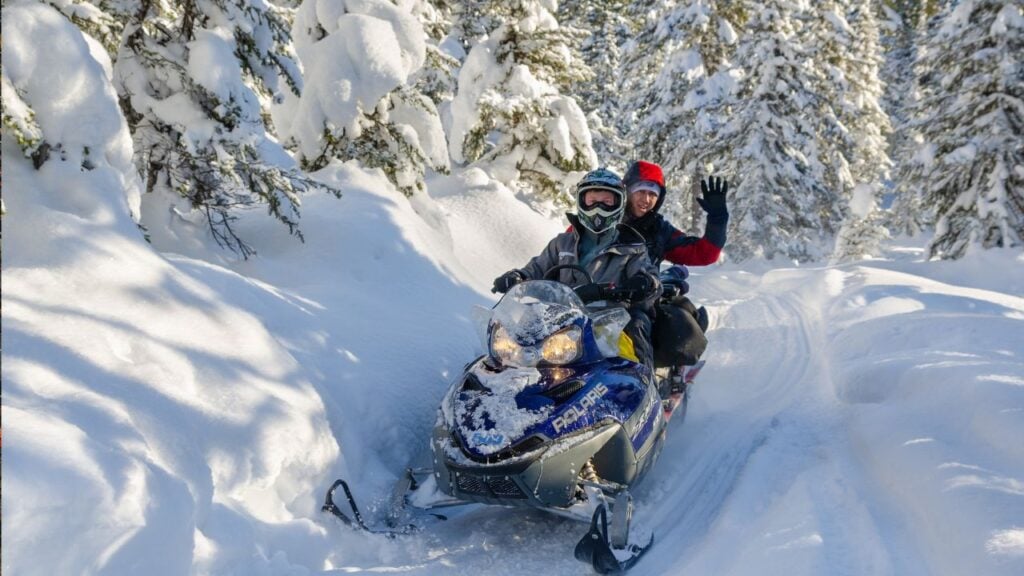
A Minnesota winter teaches you things a moving checklist doesn't cover.
The list runs from ice thickness guidelines to what to do if you're stranded in your car.
9 Things Minnesotans Know About Winter That Transplants Learn the Hard Way
8 Things Minnesotans Say That Mean the Opposite

Minnesota has built its reputation on being nice.
But friendly doesn't always mean direct.
